

Steel Tracker

Know the status. Material, progress, schedule, all in 3D.

Steel Tracker turns every BOL scan into live inventory, marks up your 3D model, and lines it up against your schedule, so you always know what's erected, what's in stock, what's short, and what's genuinely missing.

Built for steel erectors who are done resolving “where is my iron?” on clipboards.
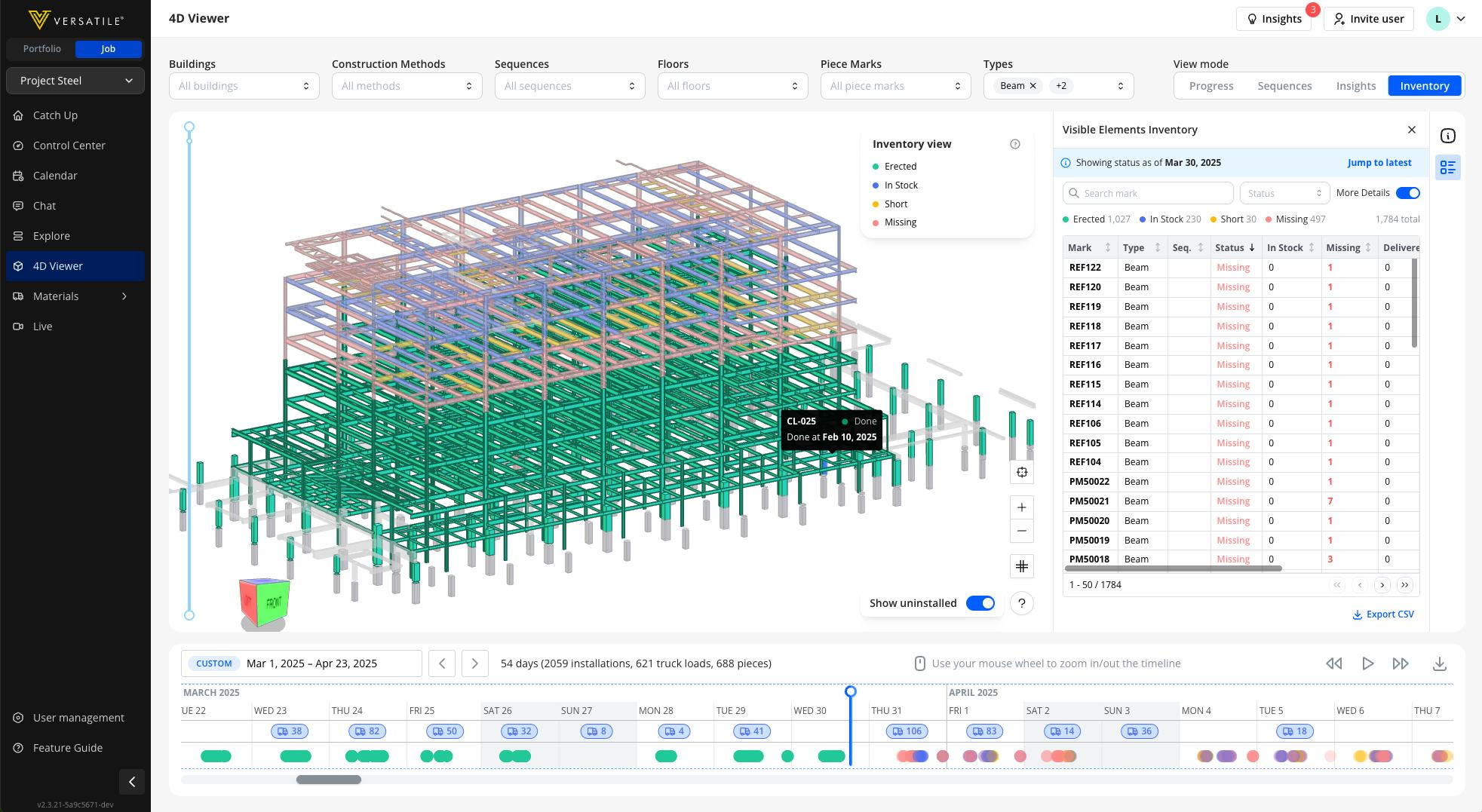
Versatile 4D Viewer: the steel model coloured by erected, in stock, short and missing, with the Visible Elements Inventory table and the delivery timeline
Status marked up piecemark-by-piecemark, straight onto your Fabrication 3D Model.

What it does

One tool. Three jobs your team is doing by hand today.

Steel Tracker replaces the phone calls, spreadsheets, and site walks with one live view of your material, from delivery to erection.

01. Track material on site

Every BOL scan is automatically matched to your Fabrication 3D Model and rolled up per piecemark. You get a live count of what's Erected, In Stock, Short, and Missing, without a single manual tally.
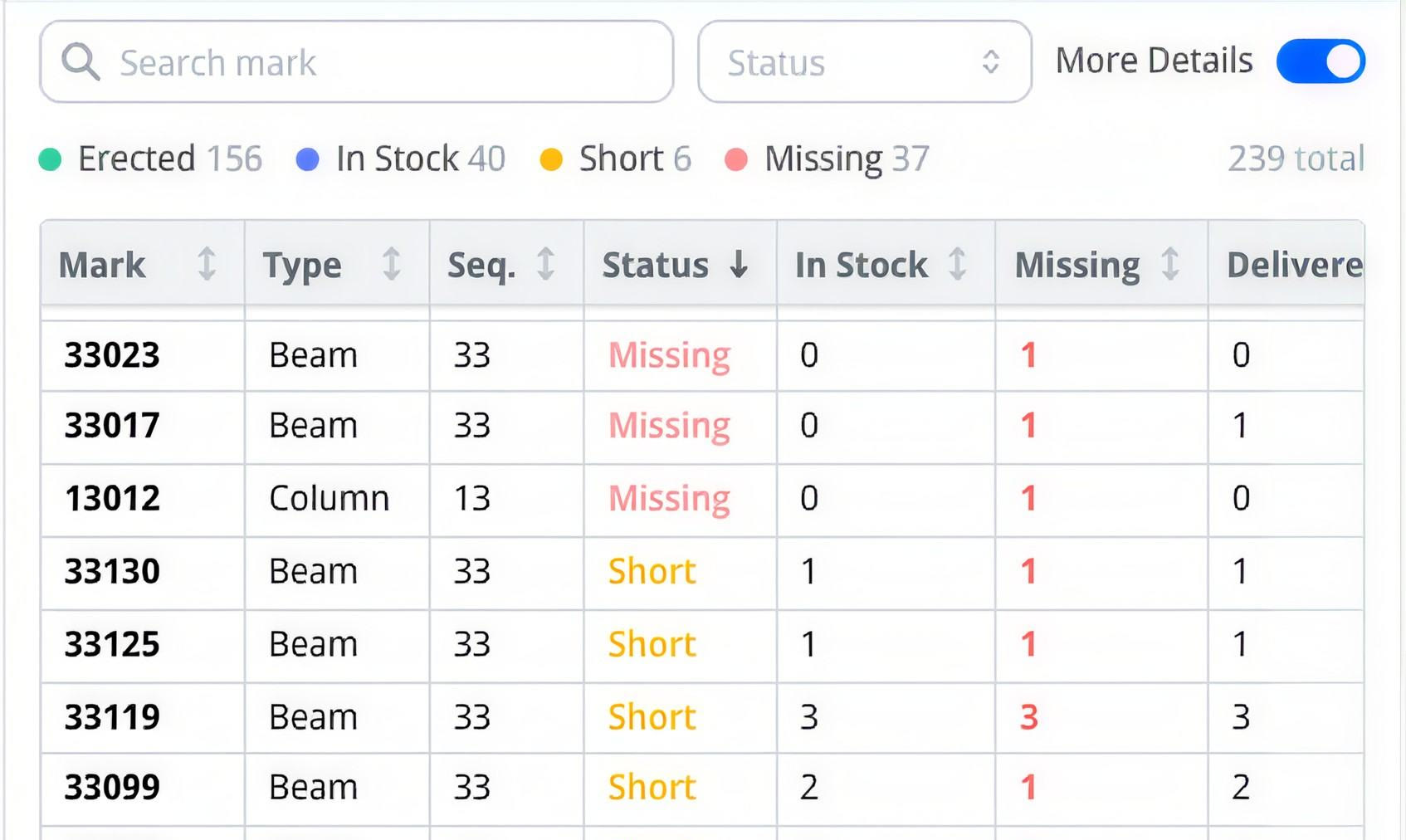
Steel Tracker Visible Elements table: piecemarks with type, sequence, status, in stock and missing counts

02. Mark up and communicate in 3D

Every status lands on its piecemark in your Fabrication 3D Model. Pick a red piece, screenshot it and send it to the fabricator or the GC, so the field and the office look at the same model instead of describing it over the phone.
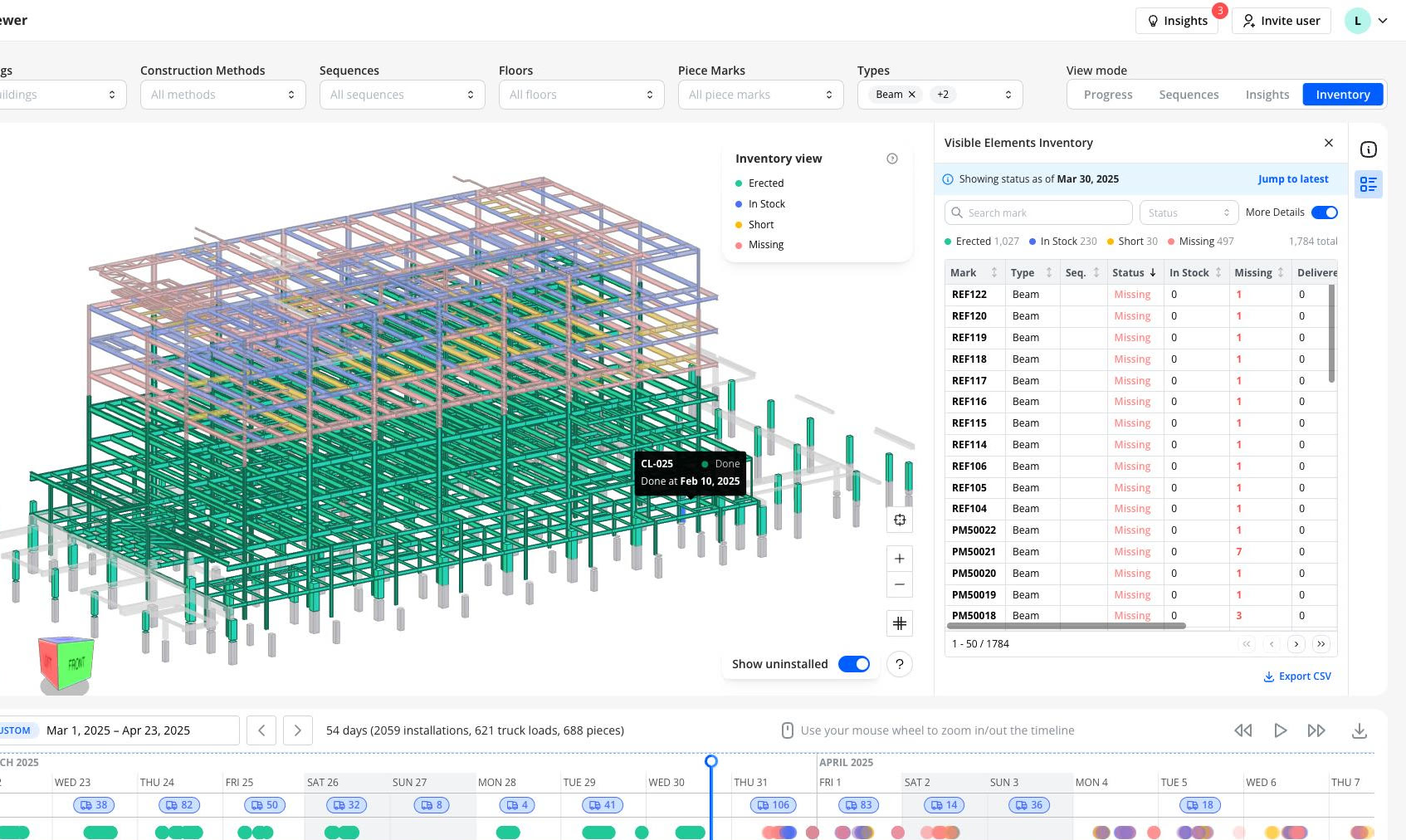
Steel Tracker 4D Viewer: the steel model coloured by erected, in stock, short and missing

03. Schedule work and labor

Line deliveries up against the erection sequence and book crane and forklift time on one calendar, so you know the steel is on site before you put a raising gang on it.
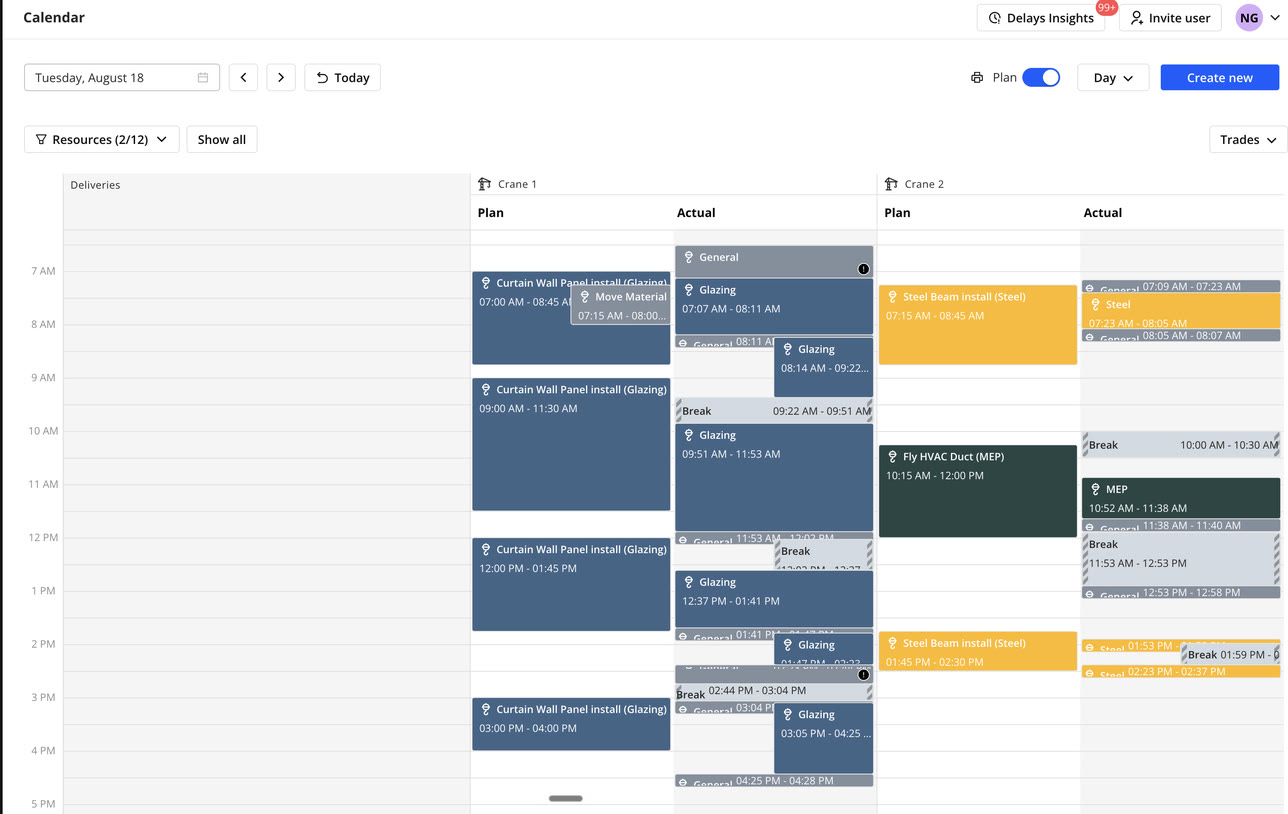

Versatile calendar: planned and actual crane time by trade

The four colors

Every piecemark, always in one of four states.

No spreadsheets to reconcile, no "probably on site somewhere." Just a status you can trust and act on.

  • Erected

    The piece is erected. Counted once, it can't also be in stock, short, or missing.

  • In stock

    All of this piecemark's remaining pieces are on site, enough in stock to erect every one of them.

  • Short

    Some of this piecemark is in stock, not enough for all of it. We know how many arrived, not where they'll go.

  • Missing

    None of this piecemark is in stock right now. Erecting uses up stock, so a mark can turn red over time.

  1. Job starts 4 missing
  2. 3 delivered 1 short
  3. 3 erected 1 missing
  4. 1 more delivered In stock
  5. Last one erected All erected

How it works

From BOL scan to schedule-ready, in one flow.

Steel Tracker sits on top of the work your crews already do. It just makes it visible.

  1. 01.

    Scan and match

    Crews scan BOLs as steel arrives. Deliveries are automatically matched to your Fabrication 3D Model, so every piecemark has a delivery record instead of a phone call.

  2. 02.

    See it on the model

    Open the Visible Elements table alongside the 3D model to see status, type, sequence, and how many pieces are missing: sorted, searched, and exported in one click.

  3. 03.

    Schedule with confidence

    Scrub the timeline to any date, filter by upcoming sequence, and confirm you have enough steel and crane time booked before the next lift.

What's included

One platform, five tools your team already needs.

  1. 01.

    Equipment Board

    Schedule crane time or forklift time alongside deliveries, entrance gate, exit gate, staging area, etc., all on one calendar.

  2. 02.

    Control Center

    Mark sequence complete and see percent complete at a glance as work wraps.

  3. 03.

    Material Tracking Suite

    BOL archive, live inventory, and sequence readiness, all built on the same scanned data.

  4. 04.

    4D Viewer

    Status, progress, and schedule marked up directly on your 3D model.

  5. 05.

    Access Control

    You decide who sees and edits what. Set permissions by role across your team, the GC, fabricators, the owner, and other trades.

Pricing

$399/moPer project

$0For enterprise customers

Why teams use it

Here's what the steel erectors are saying.

  • 1. Prove it's missing

    Field can't find a piece → screenshot the red piece on the model, email the fabricator. Export the CSV as the attachment.

    “You can just ship this view - go in here, click download, zap that to the fabricator and say: you need to stop.”

  • 2. Know before you start

    Multi-select the sequences in front of a crane. The colors and counts answer "do we have the steel for what's next?"

    “Pick everything in front of you, and report: we have 38 of the next 400 pieces, and here they are. Here's numbers.”

  • 3. Never relive that project

    Verifying on-site material by hand took two companies a day and a night, mid-crisis. Now it's one view, at any date.

    “A bunch of people spent a whole day, most of the night and most of another day trying to verify what material was on site.”

Stop verifying steel by hand.

See how Steel Tracker gives your team one live view of material, progress, and schedule, from the first delivery to the last piece erected.

Start tracking steel

$0 to start. Fill out the form and you'll get a link to upload your model. After 14 days, you'll get a bill. Pay to keep using it, don't pay if you didn't. As simple as possible. No red tape.