Your BIM model is a geometry file. It shows where every beam, column, and brace is supposed to go. What it doesn't show is the conversation your foreman had about the connection issue in zone 4, the RFI on the misaligned embed, or the note about the piece that arrived damaged and needs replacement. All of that context lives in emails, text messages, and the foreman's head.
3D model markup changes that. It puts the conversation where it belongs: directly on the model, attached to the specific piece or location it relates to, visible to everyone who needs to see it.
What 3D Model Markup Actually Is
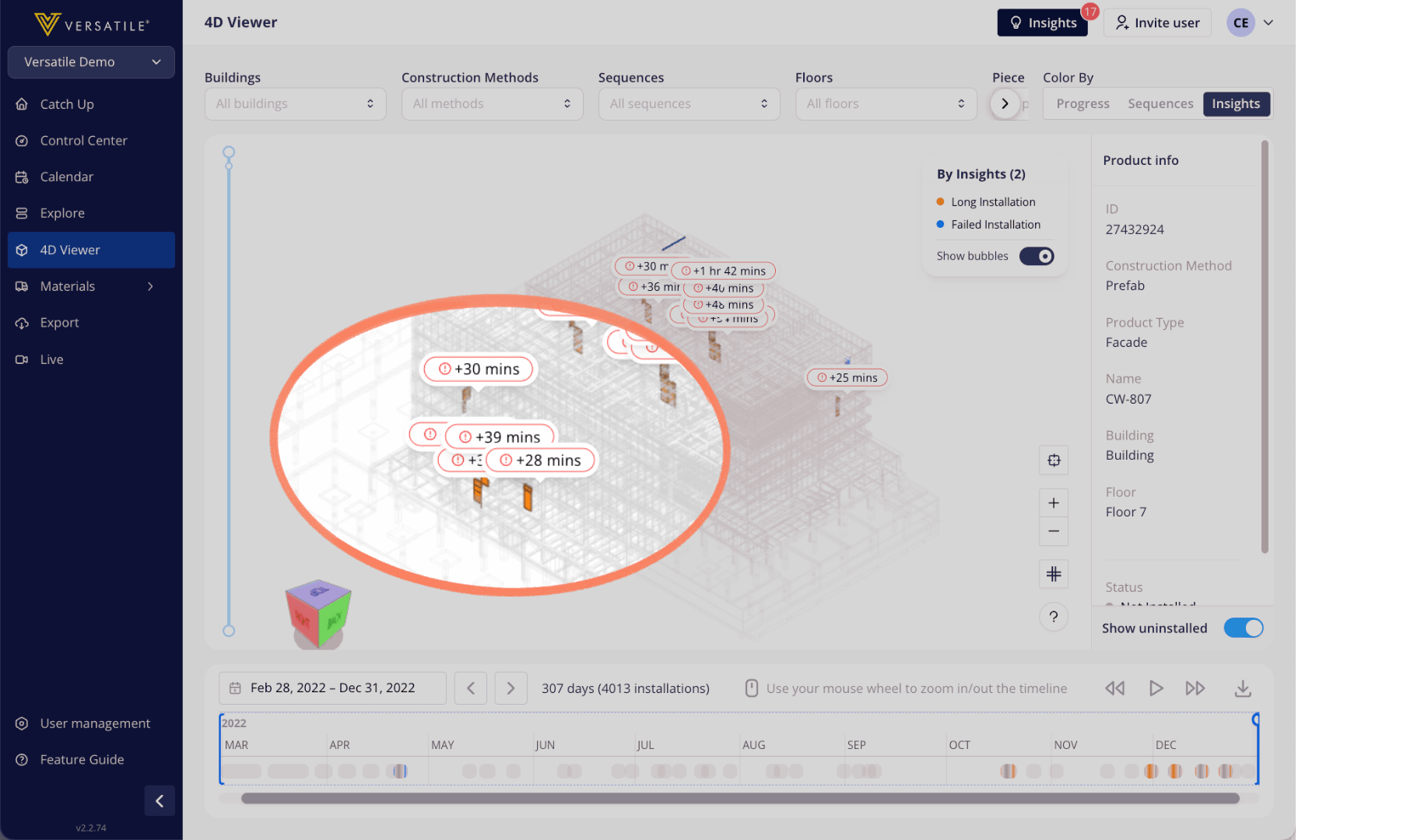
Model markup is the ability to annotate your 3D BIM model with notes, flags, and status indicators tied to specific elements in the structure. Instead of describing a problem in an email ("the W14x68 on grid line 3-B has a connection issue"), you place the annotation directly on that member in the model. Anyone who opens the model sees the note in context.
This sounds simple. In practice, it solves a communication problem that costs steel erectors real time and money: the gap between what someone knows about a specific piece and what the rest of the team can see.
Field notes go where they belong. When the foreman identifies an issue during erection, the annotation goes on the model at the exact location. The PM sees it without a phone call. The GC sees it without a meeting. The context is visual, spatial, and tied to the specific member.
Issues get tracked, not lost. An email about a damaged piece can get buried in a thread. A text message about a connection problem disappears into someone's phone. An annotation on the model stays visible until someone resolves it. It's documentation that can't be overlooked because it's attached to the thing it's about.
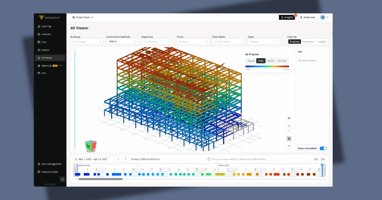
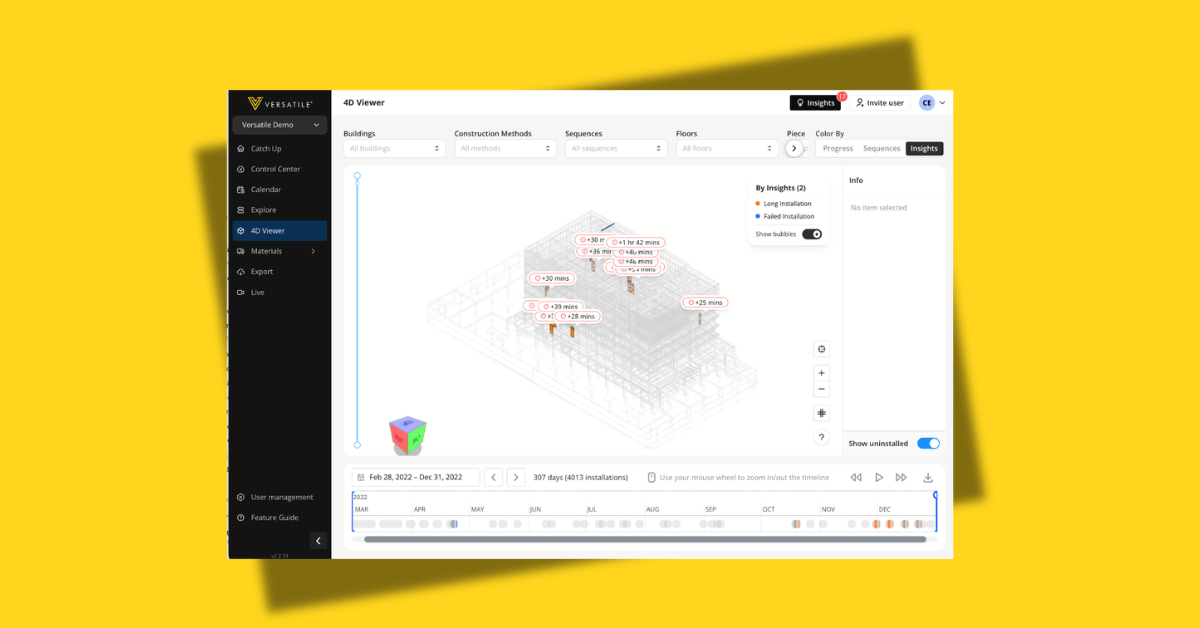
Progress becomes visual. When markup is combined with the 4D viewer, the model shows not just what's been erected and when, but also where issues were flagged, where sequence deviations occurred, and where coordination is needed. The model becomes a living project record, not a static geometry file.
How Construction Teams Use It
RFI tracking in context. When an RFI relates to a specific member or connection, the markup ties it to that location in the model. The engineer can see exactly what the field team is asking about without interpreting a written description. The response can reference the same visual context. The back-and-forth gets shorter and more precise.
Damage and deficiency documentation. A piece arrives with a bent flange. A connection doesn't align with the design. A weld needs inspection. Each of these situations requires documentation that describes the issue, identifies the specific member, and communicates it to the right people. Model markup does all three in a single annotation.
Coordination with other trades. When the decking crew needs to know which bays are ready for them, the model shows it. When the MEP contractor needs to know which areas are structurally complete before they start hanging, the markup makes it visible. The model becomes the coordination document that replaces the spreadsheet everyone ignores.
"We used to spend 20 minutes in coordination meetings trying to describe which beam someone was talking about. Now we just pull up the model and point at it. The conversation is completely different." (Project Engineer, top 10 GC)
The Difference Between Manual Markup and Data-Driven Markup
Some teams already annotate their BIM models manually. Someone walks the site, notes what they see, and adds markup to the model back in the trailer. That approach is better than nothing, but it has the same problem as all manual processes on a steel erection project: it's slow, it's incomplete, and it's only as current as the last time someone updated it.
Data-driven markup is different. When the crane intelligence system captures every pick and validates it against the IFC model, the markup updates automatically. Pieces that have been erected are reflected in the model without anyone touching it. Sequence deviations are flagged automatically. The manual annotations your team adds (issue flags, coordination notes, RFIs) layer on top of machine-verified progress data.
The result is a model that combines automated production data with human context. The machine handles the tedious tracking. Your team handles the judgment calls. Both are captured in the same place, attached to the same structure.
Why This Matters for Margin Protection
3D model markup creates a spatial record of every issue, every deviation, and every coordination decision on the project. When a dispute arises about a specific area of the structure months after the steel was set, the model shows exactly what happened there: when pieces were erected, what issues were flagged, how they were resolved, and who was notified.
This level of documentation is nearly impossible to reconstruct from emails and memory. It's straightforward to maintain when the model captures most of the data automatically and your team simply adds the context that matters.
At its core, 3D model markup turns your BIM from a design document into a project record. It connects geometry with time, issues with locations, and decisions with evidence. For steel erectors and GCs working on complex structures with tight margins, that connection is what makes the difference between a well-documented project and one where the critical details live in someone's email archive.